Can You Get WhatsApp Scams? 7 Risks You Should Know
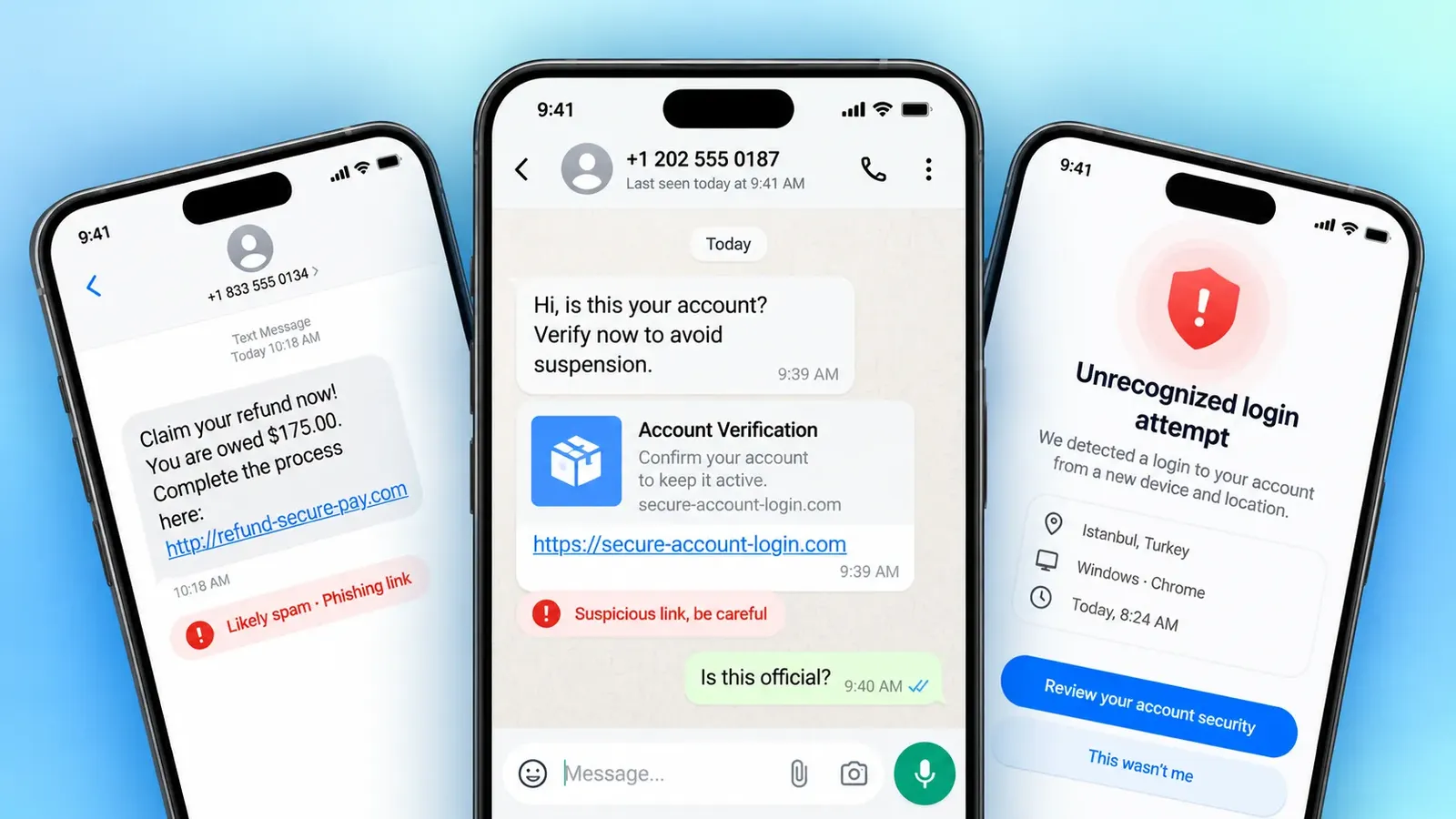
Yes, you can get WhatsApp scams, and they reach people through messages, calls, group chats, and hijacked accounts. Meta, WhatsApp's parent company, said the app detected and banned more than 6.8 million accounts linked to criminal scam centers in the first six months of 2025, as reported by SecurityWeek.
WhatsApp feels personal. The app looks the same every day, scam chats sit right next to messages from family, and a familiar name or photo builds trust fast. That comfort is what makes scams on WhatsApp work.
So, can you get scammed on WhatsApp even if you are careful? Yes, and that is why it helps to know the patterns. Is WhatsApp used for scamming on a large scale? Yes, because scammers know people lower their guard in chats that feel private. This guide explains how WhatsApp scams work, walks through seven risks, and shows how to lock down your account.

How Do WhatsApp Scams Work?
WhatsApp scams work by mixing impersonation, social engineering, deceptive links, and fake offers to push you into acting before you think. A scammer might pose as a relative, a delivery company, or WhatsApp support, and the story always includes a reason to hurry or a reward to chase.
A typical scam starts with a friendly greeting from a stranger. A few replies later, the conversation turns to money, a code, or a link. A message from a familiar contact is not automatically safe either, because that person's account may have been taken over.
Urgency and rewards are the two levers scammers pull most, since both push people to decide fast. So, can you get scammed on WhatsApp without clicking anything? Yes, because a convincing chat can persuade you to hand over a code or send money. The same pressure tricks appear in typical smishing and vishing scams on text messages and phone calls.


7 WhatsApp Scam Risks You Should Know
Is WhatsApp used for scamming in all of these ways? Yes, and these seven cover most of the scams on WhatsApp that people report.
1. WhatsApp Account Takeover
A takeover starts with a message saying a six-digit code was sent to you by mistake and asking you to pass it on. That code is the registration key to your WhatsApp account, so sharing it hands over control. The scammer registers your number on their own phone, logs you out, and then messages your contacts as you to ask for money.
Two-step verification breaks this chain because the attacker would also need your PIN. Turn it on in Settings, then Account, and protect the email address linked to it. Never share a registration code or PIN with anyone.
- Note: Your registration code is meant for you alone. No friend, relative, or company has a good reason to ask you to forward it.
2. Fake Friend or Family Member Messages
Scammers often open with a short, familiar message:
"Hi, it's me. I lost my phone, so this is my new number. Can you help me pay a bill today? I'll pay you back tonight."
The message uses an existing relationship to pressure you into a quick transfer. The amount is small, and the deadline is tight on purpose, because a small, urgent favor feels easy to say yes to before you stop to think. AI voice cloning can even make a voice note sound like someone you know. Verify any unusual request through a separate, trusted channel, such as a call to the person's saved number, before you send money.
- Quick Tip: Agree on a family code word. Anyone who asks for urgent money has to say it.
3. Phishing Links and Fake WhatsApp Support
Phishing messages claim your account will be suspended, needs verification, or requires an update. The link usually leads to a fake login page, a request for personal details, or a suspicious download.
Fake support messages often copy the look of official notices, with polished wording and familiar logos. These work like other smishing scams that hide behind routine-looking links.

Check any account issue directly inside WhatsApp, and skip links in unexpected messages.

4. Fake Job Offers and Task Scams
Strangers message offers of easy money for liking posts, finishing online tasks, or reviewing products. These offers often arrive from unfamiliar or international numbers, and the pay always sounds too good to ignore.
At first, a screen may show fake earnings, which builds trust. Then comes the fee, usually a deposit to unlock your wages. Any request to pay money to unlock wages is a major warning sign. Real employers pay you and never charge you to collect your earnings.
5. Investment and Cryptocurrency Scams
Scammers use private chats or group invitations to promote fake investment platforms that promise guaranteed returns. Inside the group, made-up testimonials and cheerful "members" posting profits make the offer look proven. Some scammers even show a small early "profit" to encourage a larger deposit.
Pressure to invest quickly and requests to transfer cryptocurrency are the biggest warning signs. Research any investment provider independently, and avoid decisions based on WhatsApp promises.
6. Romance and Emotional Manipulation Scams
Romance scammers build a relationship over weeks before they ask for money, gifts, or sensitive information. These scams often start on a dating app or social media and then shift to WhatsApp, which makes the chat feel more private. They send friendly messages every day, share a story that feels real, and become a trusted voice in your routine.
When the request finally comes, it is urgent, and there is always a reason they cannot meet in person or join a live video call. Strong feelings can make a stranger seem trustworthy, so emotional trust should never replace independent verification. A live video call, a reverse image search of their photos, and a chat with a trusted friend are all good checks.

7. Malicious Files, Fake Apps, and Privacy Traps
Unexpected documents, APK files, fake app upgrades, and suspicious media links can lead to malware or data theft. A document or media link can hide malware or open a fake page. An APK file installs an app from outside a trusted store, and a "new WhatsApp version" with extra features is often a fake upgrade that steals data.
Requests for ID documents or private photos from strangers add a privacy risk, since you cannot control where those files end up. Install apps only from your official app store, and keep personal documents and intimate images away from contacts you have not verified.
How to Protect Your WhatsApp Account and Avoid Scams
Two sets of habits cover most scams on WhatsApp: strong account settings and careful checks on unusual requests.
Secure Your Account Settings
- Turn on two-step verification in Settings, Account, Two-step verification, and protect the email address linked to it.
- Never share registration codes or PINs with anyone.
- Review Linked devices in Settings and remove any you do not recognize.
- Keep WhatsApp and your phone's operating system updated.
Verify Suspicious Contacts and Requests
If a contact asks for money on WhatsApp, call them on their saved number before you do anything else. Check unexpected job or investment offers independently, and leave suspicious links and files unopened. A few minutes of checking costs far less than a lost payment or a hijacked account.
Many scams also start outside WhatsApp, with a text or a call from an unknown number, so phone number identification and spam detection tools help here. Sync.me's caller ID and spam protection shows who is calling and flags known scam numbers before you answer, and its reverse phone lookup lets you check a number that contacted you.

If Your WhatsApp Account Is Hijacked
Act quickly if you think someone has taken over your account:
- Register your number again on your own phone. WhatsApp allows one phone per number, so this logs the attacker out.
- Turn on two-step verification straight away and add a recovery email.
- Warn your contacts that messages from your number were not from you.
- Contact your mobile carrier if you lost phone service or suspect a SIM swap, and report the scam at ReportFraud.ftc.gov.
WhatsApp Scams Win on Trust, So Check Before You Answer
WhatsApp scams exploit trust, and technology alone rarely stops them. The seven risks follow one pattern: account takeover, fake family messages, phishing and fake support, job and task scams, investment scams, romance scams, and malicious files. Can you get scammed on WhatsApp? Yes, and the best defense is protecting your codes and PIN, verifying every request, and treating unexpected offers with caution.
Secure account settings and caller identification work well together. Strong settings keep your account safe, and tools like Sync.me help you judge unfamiliar numbers before you reply or answer.
Want to check unfamiliar numbers before you reply or answer?
Download Sync.me for free for iPhone or Android to identify unknown callers and flag scam numbers.
Frequently Asked Questions
Can someone find my WhatsApp account using only my phone number?
Yes, anyone who has your number can check whether it is registered by starting a chat. What they can see after that, such as your profile photo, About text, and last seen, depends on your privacy settings.
Can I receive a WhatsApp scam message from someone whose account is verified?
Yes. A verified badge shows that WhatsApp confirmed the account belongs to a business or organization, and any account can still be hijacked or imitated. Is WhatsApp used for scamming through look-alike business accounts too? Yes, so treat unexpected requests for money or codes with caution.
Can a scammer see my old messages after taking over my WhatsApp account?
WhatsApp keeps chat history on your device, and a takeover on another phone does not automatically bring your old chats over. The attacker can read new messages sent to your number and see your groups. Old chats can be exposed if they reach your backup or your phone.
Can reporting a WhatsApp account reveal my identity to the person I report?
No. WhatsApp does not tell the person you reported who reported them. WhatsApp receives recent messages from that chat to review, and blocking the account stops further messages.
Should I notify my mobile carrier if my WhatsApp account has been hijacked?
Yes, tell your carrier if you lost phone service or suspect a SIM swap, since that can give an attacker control of your number. If you only gave away a code, re-registering your number and turning on two-step verification usually restores control.
Related posts
8 Common Scam Texts Everyone Should Learn to Recognize
Learn about common scam texts, including fake delivery alerts, bank warnings, job offers, and more. Discover warning signs and safe ways to respond.
7 Realistic Scenarios for Phone Scam Targeting Seniors
Phone scams targeting seniors rely on trust, urgency, and fear. See 7 real scenarios, the red flags in each, and the safest way to respond.
Can a Scam Call Hack Your Phone? Myths and Facts Explained
Can a scam call hack your phone? Get the real answer, the myths that keep spreading, and the actions that actually put your data at risk.