How to Create an Emergency Contact List You Can Rely On?
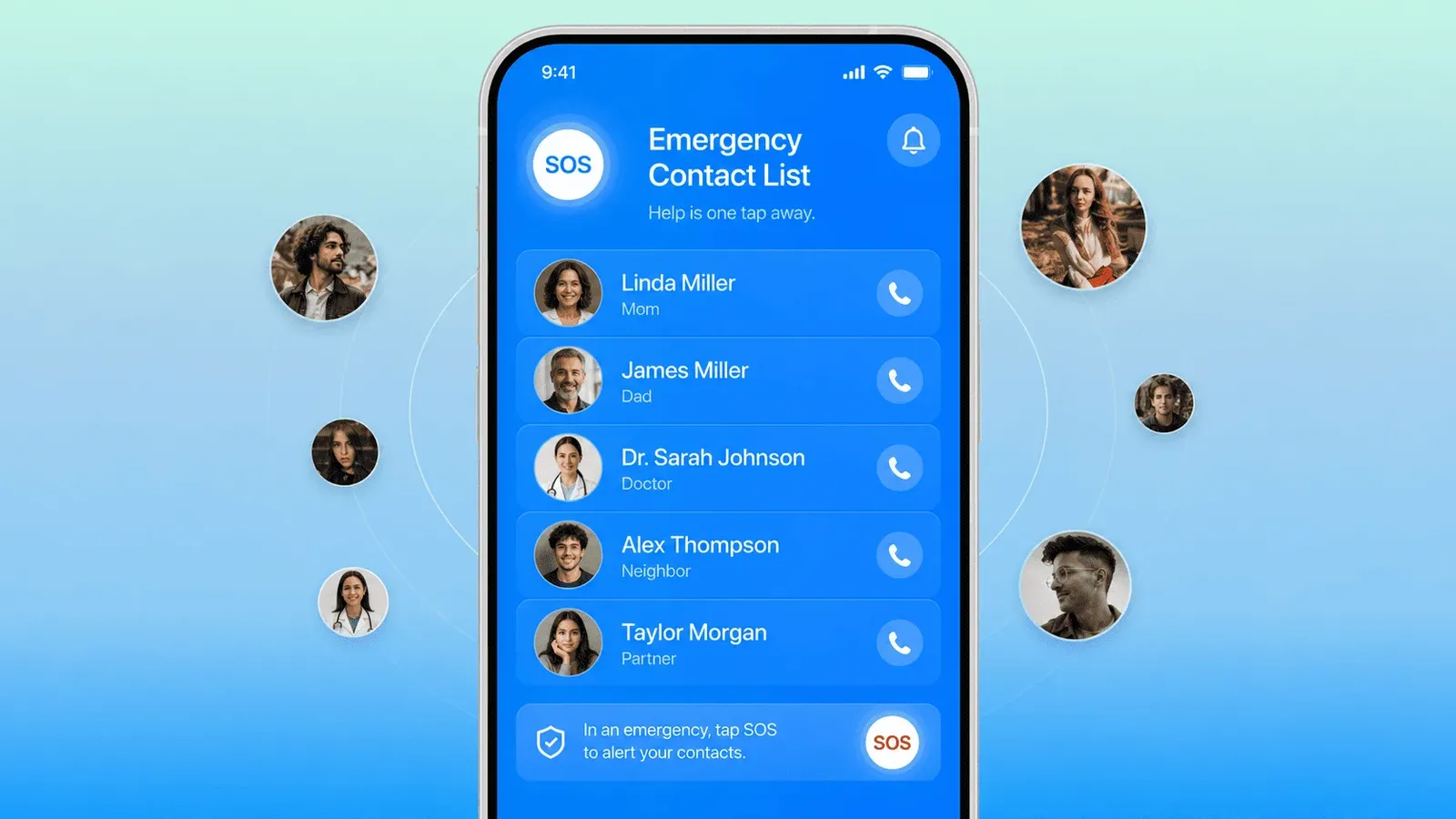
In an emergency, you rarely have time to search for the right number. Having a ready emergency contact list means the right people are reachable in seconds, whether you are the one in trouble or someone else needs to act on your behalf.
According to the 2023 National Household Survey on Disaster Preparedness, FEMA, 2023, only 37% of adults reported making a disaster preparedness plan, and just 18% tested a family communication plan. That gap becomes critical in situations where every minute counts.
The most common problems with emergency contacts are not about having the wrong people saved. They are about outdated phone numbers, unclear labels, missing medical contacts, and lists stored only on a single device that might not be accessible when you need it most. This guide covers exactly how to create an emergency contact list that is complete, clearly organized, and actually reliable.
What Is an Emergency Contact List?
An emergency contact list is a saved set of trusted people and important services you or others can reach quickly during urgent situations. It is not the same as your regular contact list. It is a focused, clearly labeled group of names that covers the people and resources most needed when something goes wrong.
A well-built contact list for emergency situations typically includes close family members, trusted friends or neighbors, doctors and medical contacts, workplace or school contacts, and relevant emergency services. The list should live in at least three places: on your phone, in your cloud account, and as a printed backup at home. Relying on a single device is a risk you can easily avoid.
Why You Need a Contact List for Emergency Situations
A contact list for emergency situations is not just a convenience. It is a practical tool that makes a real difference in how quickly and calmly an urgent situation gets handled. Here is what a good emergency contact list does:
- Helps others reach your trusted people quickly if you are unable to respond yourself
- Saves time when you are stressed, injured, or overwhelmed and cannot think clearly
- Gives caregivers, schools, or coworkers clear instructions on who to call and in what order
- Reduces the risk of someone calling the wrong person or making decisions without the right information
- Keeps your medical, family, and support contacts in one place that is easy to find and share

Who to List as Emergency Contact
Choosing who to list as an emergency contact is the most important decision in building this list. The right people are reliable, reachable, and calm under pressure. They do not have to be the people you are closest to emotionally; they have to be the people who will actually pick up the phone.
1. A Close Family Member
A close family member is usually the first person to list as your primary emergency contact. Choose someone who knows your basic personal, medical, and household details, and who is typically reachable during the day.
Before listing anyone, confirm they are comfortable being contacted in urgent or distressing situations. Not everyone handles that kind of call well, and it is better to know in advance.
2. A Trusted Friend or Neighbor
A nearby friend or neighbor is a valuable addition, especially for situations where physical proximity matters. If family is far away or unavailable, a neighbor can respond to a home emergency, pick up a child, check on a pet, or meet emergency services at your door.
Choose someone whose schedule you know reasonably well and who lives close enough to arrive quickly if needed.
3. A Medical Contact
Include your primary care doctor, any relevant specialists, your pharmacy, or a clinic you use regularly. This contact is especially important for anyone with a chronic condition, regular medication, or known allergies.
Add brief notes alongside the contact if appropriate: medication names, allergy details, insurance information, or the name of a condition that first responders might need to know. A contact with context is far more useful than a phone number alone.
4. A Work or School Contact
Add a manager, HR representative, school office, teacher, or childcare provider, depending on your situation. This contact is useful when an emergency affects your schedule, a child's pickup arrangement, or your ability to communicate with your workplace.
If you have children, this category is essential. Schools and childcare providers need to know who is authorized to collect a child and who to call if you are unreachable.
5. A Backup Emergency Contact
Every emergency contact list should include at least one backup: someone to call if the primary contact does not answer. Choose a person who knows they are listed in this role and understands what it involves.
A backup contact who does not know they are listed may be caught off guard in an already stressful situation. A quick conversation when you add them to the list makes a real difference.
What Information to Include for Each Contact
A phone number alone is not enough. Each entry in your emergency contact list should include enough detail for someone unfamiliar with your life to act quickly and correctly.
For each contact, include:
- Full name and relationship to you (for example, "sister," "GP," "next-door neighbor")
- Primary phone number
- Backup or secondary phone number, where possible
- Email address
- Home or work location, if relevant to the type of emergency they would handle
- Best time or method to reach them
- A short note explaining their role: "has spare key," "can collect kids from school," "knows full medical history," or "fluent in [language] if needed"
The difference between a useful emergency contact and a useless one is often just a few extra lines of information saved alongside the number.

How to Create an Emergency Contact List Step by Step
Creating an emergency contact list takes less time than most people expect. The steps below show you exactly how to create an emergency contact list that will hold up under pressure, covering who to list as an emergency contact, what details to include, and where to save it.
Step 1. Choose the Right People
Select people who are reliable, reachable during typical hours, and steady in stressful situations. Think practically, not just personally. Someone who lives two minutes away and answers their phone reliably may be more useful in certain emergencies than a close friend who travels frequently or is hard to reach.
Aim for five to eight contacts across different categories: family, friends or neighbors, medical, work or school, and a backup.
Step 2. Ask for Permission
Contact each person before adding them to your list. Let them know you want to list them as an emergency contact, explain what that means, and confirm they are comfortable with the role.
This step is easy to skip and easy to regret. A contact who is surprised by an emergency call is less prepared to help than one who knows what to expect.
Step 3. Add Clear Labels in Your Phone
Save emergency contacts with labels that make their role obvious at a glance. Use formats like "Emergency Mum," "Emergency Dr. Patel," or "Emergency Neighbor Sara." Someone picking up your phone in a crisis should be able to identify the right contact immediately.
Avoid vague labels like "James" or "Old Doctor" that mean nothing to someone who does not know your life. Clarity under pressure is the whole point.
Step 4. Save the List in More Than One Place
No single storage location is fully reliable. A locked or damaged phone, a drained battery, or a lost device can all block access to contacts at the worst possible moment. Save your emergency contact list in all of the following:
- Your phone's contact app, clearly labeled
- Your cloud account (Google Contacts or iCloud) so the list syncs across devices
- A printed copy kept at home in an accessible place
- A shared copy with a trusted family member, caregiver, or household member
Using an app like Sync.me helps keep your contact details automatically updated and accessible across devices, which matters especially for emergency contacts that need to stay current.
Step 5. Keep the List Updated
An outdated emergency contact list can be worse than no list at all if it sends someone to a disconnected number or a doctor you no longer see. Review the list every few months and after any significant life change: a new job, a move, a change in your healthcare, or a shift in your family situation.
Update phone numbers, addresses, doctors, schools, and work contacts as they change. Remove anyone who is no longer available, appropriate, or willing to be listed.
Learn how to organize your contacts effectively to keep your full address book in good shape alongside your emergency list.
Things to Get Right When You Create an Emergency Contact List
Building the list is only half the job. A few common mistakes can make even a well-intentioned emergency contact list fail when it matters.
- Saving contacts on one device only. If your phone is unavailable, so is your list. Cloud backup and a printed copy are not optional extras; they are part of the system.
- Using vague or informal labels. "Mike" or "the doctor" tells a stranger nothing. Label every contact with a clear role so anyone can use the list without prior knowledge of your life.
- Listing someone without telling them. Contacts who do not know they are listed cannot prepare for the role or update you when their number changes.
- Never reviewing the list. Numbers change, people move, doctors retire. A list that is never updated becomes unreliable quickly. Why you should back up and sync contacts before it is too late explains why keeping contact data current matters beyond just emergencies.
- Leaving out medical details. For anyone with a health condition, medication, or allergy, a contact note with that information can be as important as the phone number itself.
Your Emergency Contact List Is Only as Good as Its Last Update
An emergency contact list is only useful if it is accurate, accessible, and understood by the people on it. A list saved once and never reviewed is a false safety net.
The steps are straightforward: choose people who are reliable and reachable, include complete details for each contact, label everything clearly, save the list in multiple places, and review it every few months. If you want to create an emergency contact list that others can actually use on your behalf, those five steps are all it takes.
Accurate contacts help everyone respond faster and communicate with confidence when it matters most.
Sync.me keeps your contact details updated automatically across all your devices. Download it for free on iPhone and Android and make sure your emergency contacts are always current.
Frequently Asked Questions
What numbers should be on an emergency contact list?
Your emergency contact list should include at least one close family member, a trusted friend or neighbor who can respond quickly in person, a primary care doctor or medical contact, a work or school contact, and a backup person in case the first contact is unreachable. For completeness, add your local emergency services number, your pharmacy, and any specialists relevant to a known health condition.
Should my emergency contact be someone who lives nearby?
Not necessarily, but proximity helps in certain situations. A nearby contact can respond physically, whether that means meeting emergency services at your home, collecting a child, or checking on a pet. A family member who lives further away may be better suited as a primary contact for medical decisions or personal communication. Ideally, your list includes at least one person who can respond locally and one who can handle communication from a distance.
Should children have their own emergency contact list?
Yes. Children old enough to use a phone should have a short, simple emergency contact list saved on their device or memorized. It should include a parent or guardian, a backup adult they know well, and a household phone number. Schools and childcare providers should also hold an up-to-date copy of who is authorized to collect the child and who to contact if parents are unreachable.
Should I include medical information in my emergency contact list?
Yes, where relevant. Adding brief medical notes alongside contact entries can be critical for first responders or caregivers who do not know your history. Include known allergies, current medications, blood type if known, and the name of your primary doctor. Keep the notes brief and factual so they are easy to read under pressure.
How can I make emergency contacts visible on a locked phone?
Both iPhone and Android allow you to display emergency contacts on a locked screen. On iPhone, go to the Health app, set up your Medical ID, and add emergency contacts there. They will be visible from the Emergency SOS screen without unlocking the phone. On Android, go to Settings, search for Emergency Information, and add your contacts and medical details there. Anyone picking up your phone can access this information without a passcode.
İlgili yazılar
5 Smart Ways to Organize Your Contacts by Category, Company, or Group
Discover effective ways to organize your contacts. Boost productivity, reduce errors, and keep your address book clean and easy to navigate.
When Should You Delete Old Contacts? 7 Signs It's Time to Hit Remove
Should you delete old contacts? Learn 7 signs your address book is too cluttered, how to safely clean it up, and how to protect your important data.