Caller ID Shows Wrong Name? Common Causes and How to Fix It
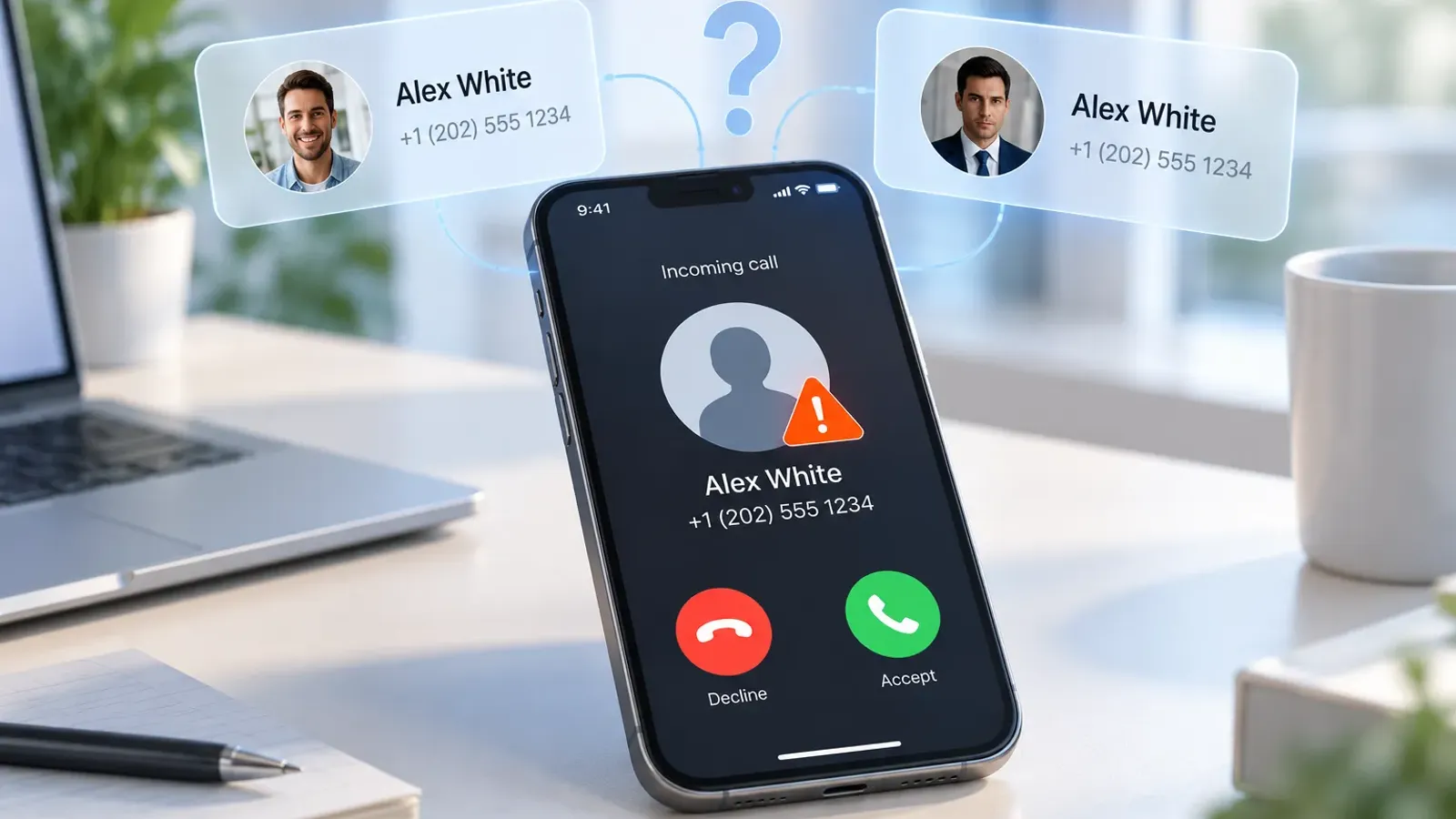
Caller ID shows the wrong name when the name on your screen comes from an outdated database, a mistaken contact record, a recycled number, a spoofed call, or inaccurate carrier information. The FCC's October 2025 call branding proposal notes that caller names have historically come from CNAM database lookups, and it aims to ensure that consumers receive accurate, verified caller name information.
Seeing an unfamiliar or incorrect name on an incoming call is confusing, especially when the number belongs to a friend, a business, or a service you use. When Caller ID shows wrong name for a call you expected, it is easy to doubt a perfectly good caller or to trust a bad one.
Many people decide whether to answer a call from the name alone, so a wrong name has real consequences. Five causes explain most cases: outdated databases, duplicate or incorrectly synced contacts, recycled numbers, spoofing, and inaccurate carrier or business records.
Why Does Caller ID Show the Wrong Name?
Caller ID displays the wrong name for one of five reasons, and the table matches each symptom to its likely source.


1. Outdated Caller ID Databases
Caller identification services rely on databases that can hold old names or associations. A person may change their name, a business may update its details, or someone may take over a number that belonged to another person, and the record may not catch up. Caller ID displays the wrong name most often because the database is simply behind real life.
For example, a clinic that changed owners may still appear under its old name, and a person who changed their name may keep showing the earlier one. Each service updates on its own schedule, so the gap can last a while.
Different services use different databases, so two caller ID services can show different names for the same number.

2. Incorrect or Duplicate Contacts on Your Phone
Duplicate entries, outdated numbers, and conflicting records can change the name your phone displays. If the same number is saved twice under different names, your phone may show either one.
Contacts synced from several accounts, such as email, cloud, and social accounts, can bring in extra versions of the same person. Your phone shows the name you saved, so an old nickname, a typo, or a number saved before someone changed it can replace the name you expect.
Understanding why duplicate contacts build up makes it easier to stop the problem from coming back.
3. Recycled Phone Numbers
Mobile numbers can be reassigned to a new owner after they are disconnected. Carriers can reassign a disconnected number after a waiting period, and the new owner may start receiving calls meant for the previous one.
The previous owner's name can stay in caller ID databases for a while, so calls from the new owner may show a name that no longer fits. A wrong Caller ID like this is common when a friend has recently changed numbers.
4. Caller ID Spoofing
Scammers can manipulate the number displayed on an outgoing call. A familiar-looking number or a name that does not fit can appear even though the actual caller is someone else. If a spoofed number matches a saved contact, your phone may show that contact's name.
Spoofing is the one cause where a wrong name can look completely believable, because your phone simply matches the displayed number to a saved contact.
Editing your own contact list cannot always correct this, because the problem sits in the call itself.
See how spoofing and phishing differ to recognize the pattern.
5. Incorrect Carrier or Business Caller Information
Carrier caller name services and business caller ID registrations can hold inaccurate details. A business may change ownership, rebrand, or start using a number that another organization used before, and the registered name may lag behind.
Business records can be entered once and then left unchanged, so a rebrand, a move, or a new owner may leave the old name in place for a long time. Caller ID showing the wrong name for a business you know often traces back to these records.

How to Fix Caller ID Showing the Wrong Name
If Caller ID shows the wrong name on your phone, start with the source closest to you and work outward. Each step below targets one cause. Most fixes take only a few minutes, and the first two usually solve problems that appear only on your own phone.
Check the Number Against Your Saved Contacts
Confirm that the number matches the person or business you expect. Search your contacts for the number itself to see every entry that uses it. Review duplicates, and remove or merge outdated entries with a guide such as how to merge duplicate contacts without losing information. If your address book syncs across devices, check which account supplies the contact information, since a different account can bring a different name.
Sync.me's contact sync and merge tools can help keep an address book accurate across devices.
Update or Correct the Caller Information
Work through these steps in order:
- Update your saved contact details if the error comes from your address book.
- If a caller identification app shows the wrong name, check whether it offers a way to suggest a correction or report inaccurate information.
- Give changes time, because they may not appear right away across every caller ID service.
Be specific when you report an error, and include the correct name along with the number.
Keeping contacts current prevents many of these problems, as explained in 7 common problems you can avoid when you update contacts.
Check With Your Mobile Carrier
A pattern of Caller ID showing the wrong name across many calls and devices points to a carrier-level source. Contact your carrier and ask whether the displayed name comes from a carrier-provided caller ID service and how to request a correction.
A carrier can only fix records it controls, so you may also need to contact the app or business involved. Have the number and the name you see ready, and note whether the problem appears on one phone or several.
Handle Possible Spoofing Differently
When spoofing is a possibility, treat the name on the screen with caution:
- Do not assume the displayed name proves who is calling.
- Avoid sharing passwords, verification codes, or financial information during unexpected calls.
- Verify suspicious requests using an official number or another trusted channel.
Spoofed calls usually add urgency, so slowing down is your strongest defense.
Quick Tip: If a call claims to be from a contact but feels off, hang up and call that contact back on the number saved in your phone. Learn how to answer spam calls safely if you pick up.

Why Can Different Caller ID Apps Show Different Names?
Different caller ID apps show different names because each service uses its own data sources, update schedules, and matching methods. One service might display a personal name, another a business name, and another no name at all.

The same call can look different on your phone, a friend's phone, and a phone with another app, because each one combines its own contacts with its own data.
- Good to Know: Your own saved contact usually takes priority on your phone. When a name looks wrong, check whether it is your own entry before you blame a database.
One wrong Caller ID result does not mean every service is wrong. Treat a caller ID result as a helpful suggestion about who is calling. Independent verification is the only way to confirm identity. Sync.me's caller ID adds context from contact matches and community reports, and a reverse phone lookup lets you compare a number against more data.
Check Where the Name Comes From Before You Trust It
Incorrect caller names can result from outdated databases, contact errors, recycled numbers, carrier information, or spoofing. The right response is to check your saved contacts, correct inaccurate records at the relevant source, and verify suspicious calls independently.
Caller ID showing the wrong name is usually a data problem, and a short check usually finds it. A wrong Caller ID rarely signals danger on its own, and it always means the name deserves a second look.
If the same wrong name keeps appearing after you have checked your contacts, ask your carrier or the app to review the record. Most name errors come from data that is easy to correct once you know where it lives.
Want more context on unknown numbers and unfamiliar names?
Download Sync.me free for iPhone or Android to identify callers and keep your contacts tidy.
Frequently Asked Questions
Why does my name appear when I call someone who has never saved my number?
Their carrier or caller ID app may look up your number in a database and show a name linked to it, such as a public listing, a carrier record, or contact data from other users. It can also be an old name tied to the number before you owned it.
How long does it usually take for a caller ID name correction to appear?
It varies. Some services update within days, and others can take a few weeks, since each carrier and app refreshes its data on its own schedule. Check again after a few days before you submit another request.
Can changing my phone's default contacts account affect caller ID results?
Yes. If the default account changes, your phone may show contacts from a different account, so names can change or disappear. Review which accounts are visible in your contacts settings.
Why does the wrong caller name appear only on certain phones or networks?
Caller ID displays the wrong name on one network but not another because phones, carriers, and apps use different data sources and update schedules. Each person's saved contacts differ too, and saved contacts usually take priority on a phone.
What should I do if my phone number is incorrectly labelled as spam as well as showing the wrong name?
Ask your carrier and the app that shows the label to review it. Mention if your number may have been spoofed, since spoofed numbers are often flagged by mistake. Reviews can take time, so keep a record of your requests.
संबंधित पोस्ट
How to Enable Caller ID on iPhone and Android: Step-by-Step
Learn how to enable caller ID on iPhone and Android, fix caller ID issues, and improve call identification with simple steps
How to Identify No Caller ID: Who Is Calling from a Hidden Number?
Learn how to identify no caller ID calls, understand why hidden numbers appear, and discover tools and strategies to manage anonymous callers safely.
Real-Time Caller ID vs. Phone Number Reverse Lookup: What's the Difference?
A phone number reverse lookup helps investigate unknown calls, while caller ID provides instant details. Learn how both tools differ and work together.